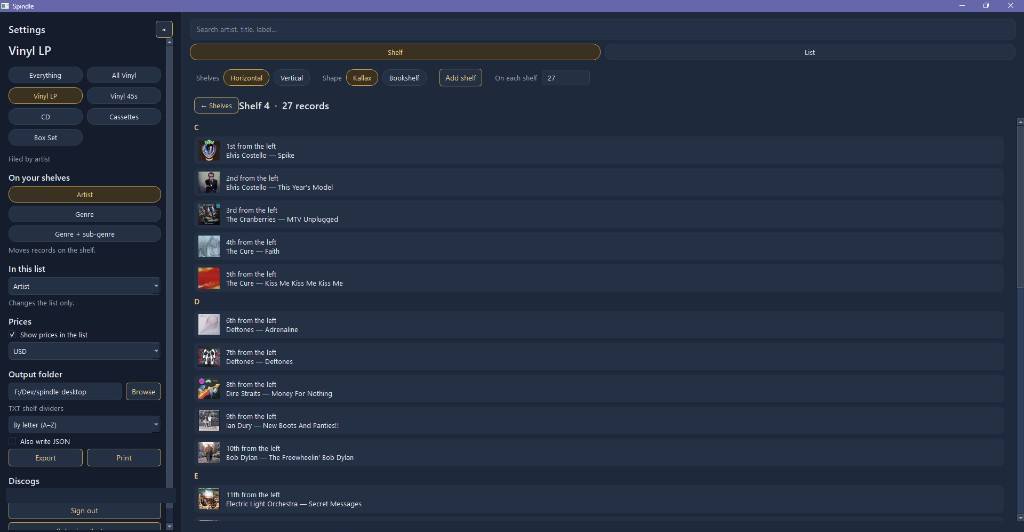
Shelf order that matches the crate
Artist, then title, then year. Leading articles come off. “Name and the …” stays with the solo name. Genre sort is there when you want sections instead of letters.
 Spindle
Shelf organization for vinyl collectors — Windows and Android
Discogs knows what you own. Spindle knows where it goes. Organize your collection into cabinets and shelves, then find a record without endlessly scrolling through your collection.
Early build. Windows may say it protected your PC. Choose More info, then Run anyway. The app installs as Spindle Beta. Android is an install file, not a Play Store listing. Not affiliated with Discogs.
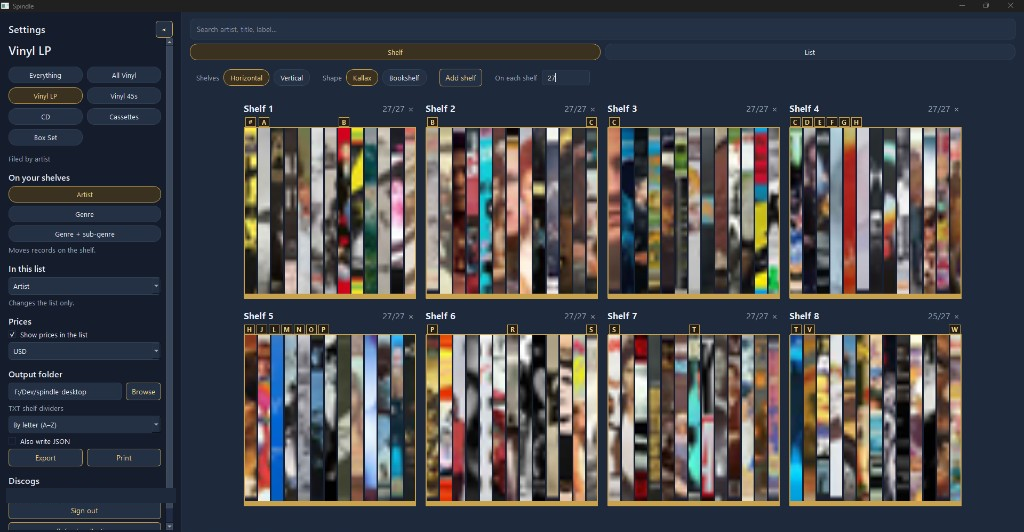
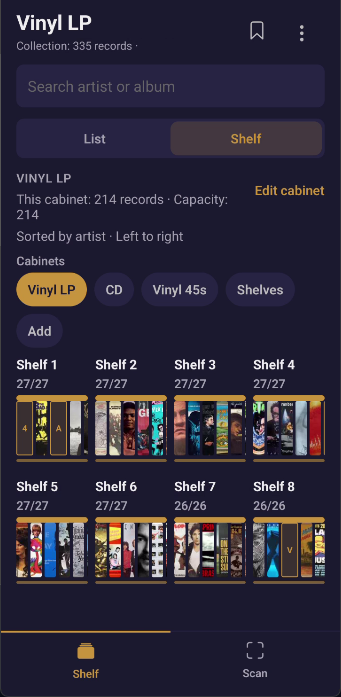
Connect the collection you already have. Arrange it like your actual shelves. Find it while you stand in front of the shelf.
Sign in with Discogs, or import a CSV or JSON file — including a Spindle export.
Sort automatically by artist, title, year, or genre, or drag albums into the order you keep them.
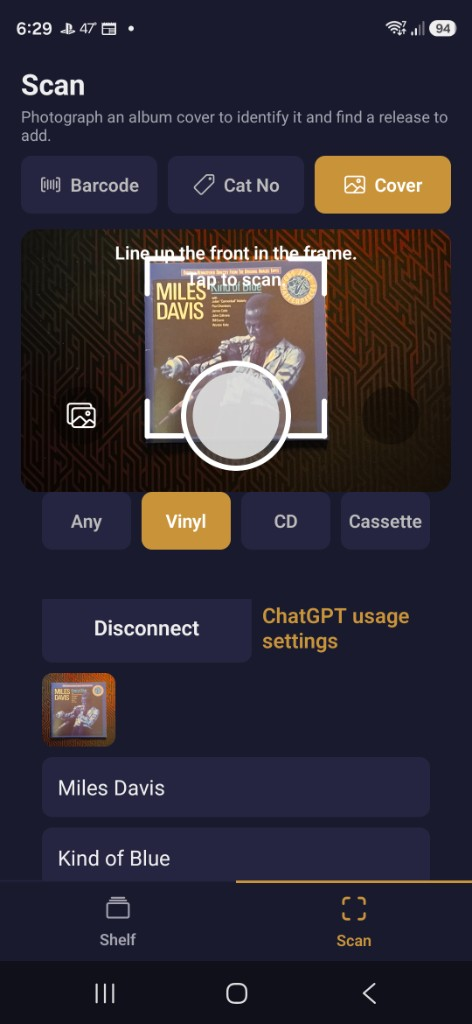
Walk the cabinet on your phone. Scan a barcode, catalog number, or cover when you add something new.
No Spindle cloud account. Your collection stays on your devices.
Sign in with Discogs, or import a CSV. Spindle keeps your collection in the same order as your physical shelves.
Artist, then title, then year. Leading articles come off. “Name and the …” stays with the solo name. Genre sort is there when you want sections instead of letters.
Export TXT, CSV, or JSON. Letter dividers are included. A/B/C physical shelf dividers are part of Pro.
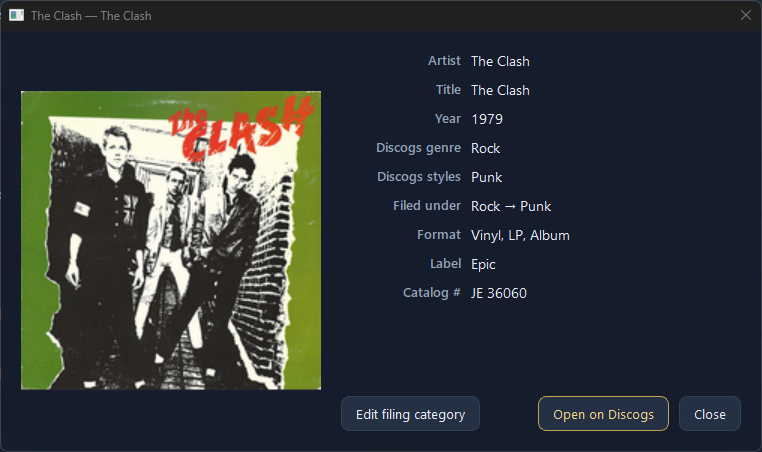
See Discogs marketplace prices, arrange records exactly where you want them, and listen to audio previews without leaving Spindle. With a Discogs account, cabinets, shelf layout, and genre changes stay in sync between Windows and Android. An imported collection stays on that device.
Android companion
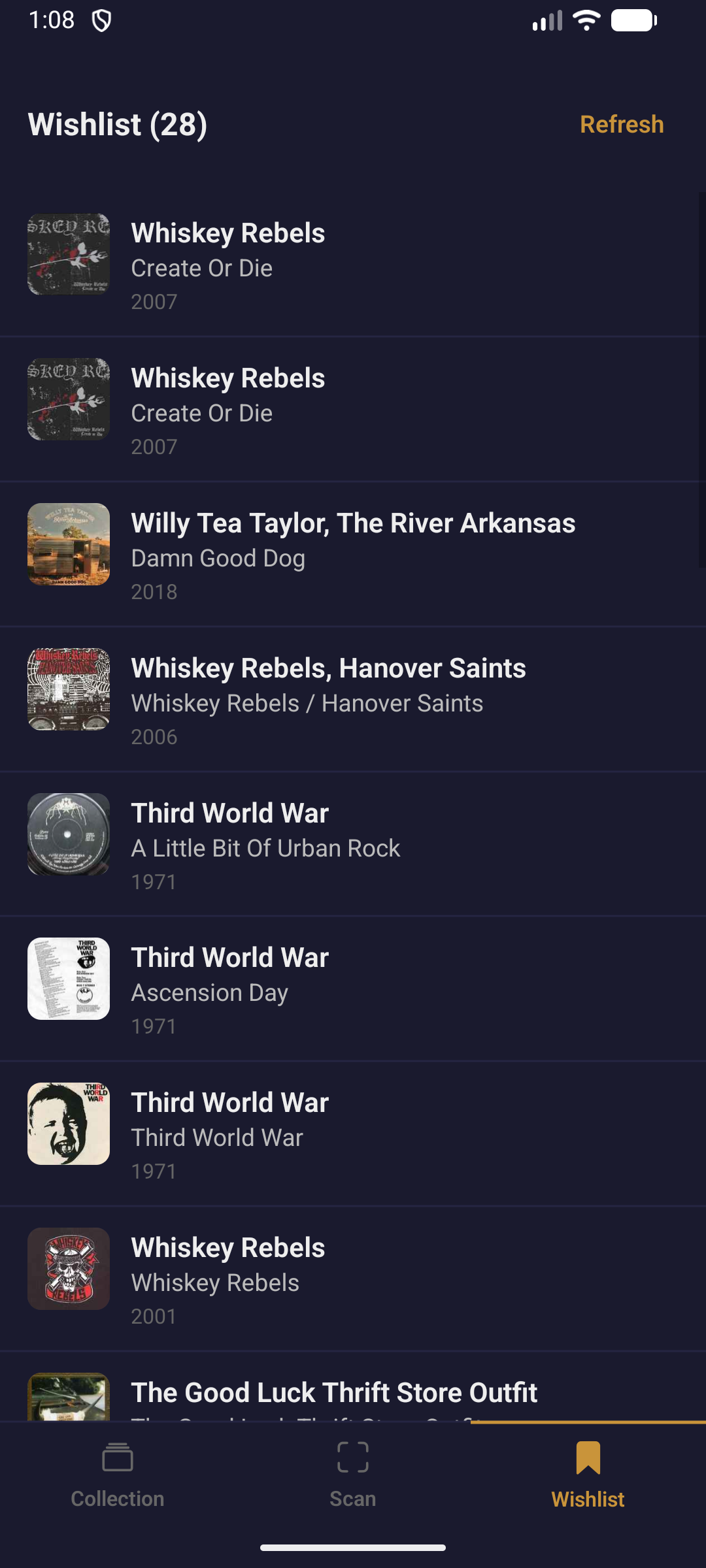
Browse your shelves on your phone, scan barcodes and catalog numbers, and keep your Discogs wishlist next to what you already own. Same Pro key. With a Discogs account, layout stays in sync with Windows. An imported collection stays on that device.
A one-time Pro upgrade at $24 for Windows and Android together is a proposal. Purchases are not open.
$0
Proposed
$24 proposed one-time price
Purchases are not open.
Spindle does not add or remove records from your Discogs collection. However, when syncing shelf layouts and genre changes between devices, Spindle may update collection notes associated with your records.
No. You can import a CSV or JSON file and organize that collection on the device where you imported it. Cross-device shelves require a Discogs account, which is also how marketplace prices stay current.
Yes. Catalog without Discogs on the phone, or import a spreadsheet. An imported collection stays on that device. Spindle exports work as-is.
Free covers up to 100 records. Pro unlocks unlimited size for bigger cabinets.
Yes. One Pro key unlocks both Windows and Android.
On your computer and phone. Spindle does not run a cloud account for your collection. See the privacy policy for details.
The bridge is Discogs collection notes. Cabinets, shelf layout, and genre edits travel in those notes, so Windows and Android file the same shelves. An imported collection is not shared. Spindle does not run its own server.
Early build for Windows and Android. Windows may say it protected your PC. Choose More info, then Run anyway. It installs as Spindle Beta. Android is an install file, not a Play Store listing.
Questions? Email jon1969edwards@gmail.com